
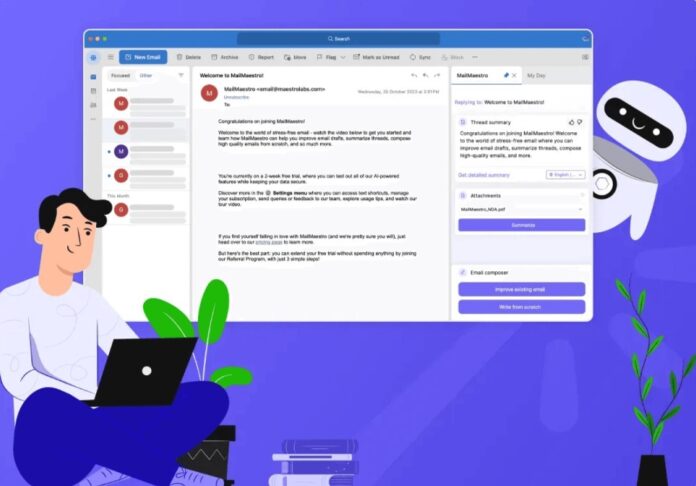
Email remains the heart of professional communication, but drafting thoughtful messages often takes longer than expected. Writers juggle tone, clarity, structure, and word count before hitting “send.” That’s where digital helpers step in: tools designed to speed up email writing while still preserving a personal touch.
This guide curates twelve of the best helpers, some polish language, others streamline length, and a few even generate full drafts.
Each option answers a different pain point so you can choose the right companion for your inbox.
Before diving into the list, here’s a snapshot comparing what each tool offers. It helps you see which match your needs most directly.
| Tool | Best for | Standout feature | Ideal user |
| Grammarly | Grammar and tone | Real-time corrections | Professionals in formal settings |
| Hemingway Editor | Brevity | Highlights complex sentences | Anyone writing concise updates |
| ProWritingAid | Style guidance | Detailed reports | Writers seeking depth |
| Wordtune | Rephrasing | Multiple rewrite options | Non-native speakers |
| ZeroGPT Word Counter | Length control | Instant count | Legal, PR, corporate teams |
| ChatGPT Email Drafting | Speed | Generates drafts | Busy managers |
| Flowrite | Automation | AI-powered templates | Sales and HR staff |
| Crystal | Tone analysis | Personality-based insights | Client-facing roles |
| Gorgias | Shortcuts | Pre-saved responses | Customer support teams |
| Boomerang | Scheduling | Send-later option | Global teams |
| GrammarlyGO | AI + grammar | Context-aware rewrites | Cross-functional roles |
| Draftable | Comparison | Side-by-side version checks | Legal or compliance teams |
1. Grammarly for polished, professional emails
Grammarly is often the first stop for anyone wanting a safety net. It corrects grammar, punctuation, and spelling, but also gives suggestions on tone, whether your message sounds too blunt or overly formal. The tool integrates with Gmail and Outlook, meaning you don’t need to copy and paste texts into a separate editor.
The strength lies in real-time feedback. While typing, underlined prompts guide you toward a cleaner draft. This saves multiple rounds of rereading. For professionals who send dozens of emails daily, that speed adds up without risking embarrassing mistakes.
2. Hemingway Editor for crisp brevity
If you worry about emails being wordy, Hemingway Editor is your ally. It highlights complex sentences, passive voice, and adverbs that weaken clarity. You instantly see which lines might lose the reader’s attention.
Emails are meant to be skimmed, not studied. Hemingway makes sure your core message comes through without the clutter. By trimming long chains of phrases, your communication feels brisk yet respectful. For status updates, meeting recaps, or requests, the time saved by reducing back-and-forth clarifications is significant.
3. ProWritingAid for detailed style improvement
Some writers want more than quick grammar fixes, they want analysis. ProWritingAid provides reports on sentence variety, pacing, clichés, and even readability levels. While heavier than Grammarly or Hemingway, it’s useful when email tone carries high stakes.
Consider writing to investors or executives. A stiff or awkward message can leave the wrong impression. With ProWritingAid, you see not only errors but also stylistic weak spots. It’s like having a patient coach beside you. Yes, it takes a minute longer, but the long-term gain in writing skill repays the effort.
4. Wordtune for fresh rephrasing
Sometimes the words feel flat, even if grammatically correct. Wordtune offers multiple rewrite suggestions for the same sentence. That means you can quickly test different tones—more formal, more casual, or more persuasive.
For non-native speakers, this tool reduces hesitation. You don’t need to search endlessly for synonyms. Instead, you pick from ready-made alternatives that keep your voice intact. This speeds up writing while ensuring the message resonates with the intended audience.
5. ZeroGPT word counter for mindful writing
Closing the circle, it’s worth revisiting the humble word counter. ZeroGPT’s version works seamlessly online, offering accurate counts without distractions. For legal teams, corporate communications, or anyone under word restrictions, this becomes a quiet safeguard.
The value lies in balance, keeping messages long enough to show care, yet short enough to respect attention spans. It’s one of the simplest helpers, but sometimes the simplest tools are the ones that actually get used.
6. ChatGPT for draft generation
When pressed for time, generating a first draft can be the biggest hurdle. ChatGPT helps by producing an initial version based on your notes or bullet points. It’s not about letting AI replace your voice, it’s about skipping the blank page stage.
Writers still refine the draft, adjusting personal tone and details. But by reducing time spent starting, the overall email process shortens significantly. Managers who send frequent updates or responses often find this kind of tool indispensable.
7. Flowrite for ready-made templates
Flowrite specializes in turning short prompts into full emails. Type a line like “thank candidate for interview,” and it creates a polished draft. It’s particularly helpful in HR, sales, or support roles where templates dominate communication.
The automation doesn’t remove personality, you can edit phrasing before sending. But it handles repetitive structure, letting you focus energy on relationships instead of retyping similar lines dozens of times per week.
8. Crystal for tone alignment
What if the issue isn’t grammar but personality? Crystal analyzes communication styles, suggesting how best to frame your message based on the recipient’s likely preferences.
For example, some readers value directness, while others respond better to warm, detailed messages. By tailoring tone, you reduce miscommunication and increase trust. In client-facing or leadership roles, those subtle adjustments make emails more effective and respectful.
9. Gorgias for canned responses
Support teams live in inboxes. Gorgias helps by storing and inserting pre-written responses. Instead of typing the same apology, confirmation, or instruction repeatedly, you use a shortcut to pull it in instantly.
This doesn’t make emails robotic, there’s always room to customize names and details. But the backbone is already done, saving precious minutes. Over time, the cumulative effect is a lighter workload and faster response times, which customers appreciate.
10. Boomerang for timing control
Even well-written emails lose power if sent at the wrong time. Boomerang solves this by scheduling messages. You can draft at midnight but send at 9 a.m. local time.
It also offers reminders if recipients haven’t replied, ensuring nothing slips through. For global teams spread across time zones, this small helper keeps conversations flowing smoothly. Timing becomes less stressful, freeing focus for content instead of logistics.
11. GrammarlyGO for AI-enhanced writing
Different from standard Grammarly, GrammarlyGO uses AI to reshape drafts. It suggests rewrites that adapt to context: persuasive, concise, or empathetic. That flexibility speeds up revisions when you’re unsure how to frame a delicate message.
By blending grammar checks with smart phrasing, it reduces the gap between correctness and connection. For busy cross-functional teams, it ensures emails are not only accurate but also aligned with intent.
12. Draftable for version comparison
Sometimes the challenge is not drafting but managing edits. Draftable compares two versions of a document side by side, highlighting differences. For emails, this is useful when multiple people collaborate on sensitive wording.
Legal, compliance, or PR teams often need to see exactly what changed before approving a message. Instead of hunting manually, the tool surfaces edits clearly. That precision saves time and avoids costly mistakes.
Conclusion ─ Choosing the right mix
Twelve tools, each solving a different bottleneck. Some polish grammar, others trim fluff, a few automate structure. The best choice depends on your role and workload.
The goal is not to use them all, but to select two or three that match your patterns. With the right balance, writing emails stops being a draining task and becomes a smoother, lighter part of your day.