

It is exciting and daunting to start a business and create solutions for your audience. However, there is a common problem many businesses have that stands in the way of doing what they love the most: getting paid. One sure way out of this is a working invoice template. The challenge, however, is that many business owners are often faced with the challenge of creating an invoice template for their business.
Without a working invoicing template, it becomes easier to lay out and design a valid invoice template that demonstrates authority to your customers and ensures prompt payment.
While many details in invoicing have changed, details such as your brand name, your business name, your logo, and a wide range of as many available payment options are essential things that you must include in your invoice template in 2025.
What Is An Invoice?
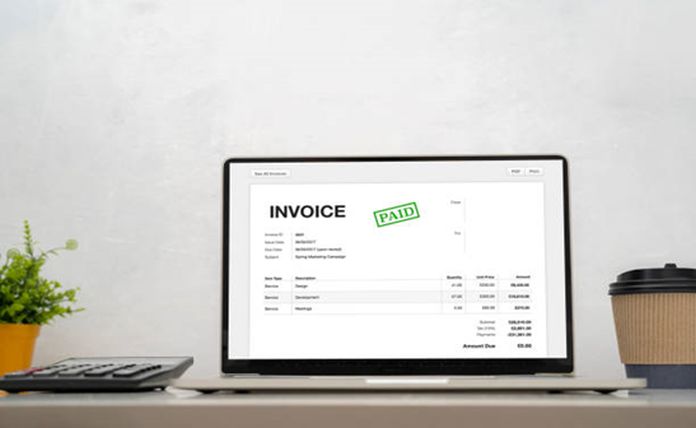
An invoice is a legally binding document that records the exchange of goods or services between the buyer and seller. It details the necessary terms and conditions of the transaction by providing information on the available payment methods, bonuses, rewards, and all applicable rules.
Asides from the legality that the invoice provides to prove that you have an agreement, an invoice template ensures that payment is made in good time to mitigate losses and keep you in business.
What’s the point of an invoice template?

Many invoicing templates exist on the internet, and you can easily use them. Here are a few reasons you may want to use an invoicing template.
Saves you time
With an invoicing template, you can have your invoice ready quickly. You can save time on planning, preparing, and designing an invoice. You get to slap your details on the invoice and add on the requested fill-in details, and you’re ready to use it in very little time.
Additionally, you can quickly create and easily send out the invoice using the invoicing template. The templates are readily available and are quick and straightforward.
Being quick and straightforward, invoicing templates make interacting, customizing, and filling out easy. This guarantees that you can save time on sorting details and even remotely fill in more information no matter how many they are.
With many invoicing templates, you also get to store all of your client’s information and quickly search out details in record time. This invoicing template also allows you to automatically update a specific client’s template with any additional information needed. With this, even tailoring your invoices is easy, and you must duplicate the template and edit away.
Get Your Invoices Paid on Time
Aiding the swift payment of sales is one of the reasons you need free business invoices. With invoicing templates, you not only get to spot achieve this, but you also get to cut out the time for your client to receive and pay out your invoice. With invoicing templates, you get to include a Pay Now button, which enables your client to pay promptly with only a redirection to a payment interface. Interestingly, some templates even allow your clients to remember their payment details and methods so they can automatically pay with just a click and ensures you get paid on time.
More Creativity and Flexibility
An invoicing template provides more options to try on your invoice. You may often not have a picture of what your invoice needs and what sort of things a business like yours will need to include on your invoice, and you can easily cast these worries aside with an excellent invoicing template.
First, you get themes to try with placements on different corners to experiment with. You also get layouts that you may customize already prepared for you. Additionally, some templates may have designs based on what sort of business you run. You get to see how businesses within your niche should design an invoice and what additional details to include. This comes in handy for start-ups who may have no idea what’s needed.
If you struggle with phrases and terms to use in your terms, you can also get an invoicing template that quickly solves that problem. Also, the invoicing template makes it easy to be to automate sending out invoices as the quicker they can be made, the easier and faster they can be sent out.
Is using your invoice template important?

Yes, using your own invoice template is very important. However, as Google has thousands of free templates to choose from, you might as well take a pick from there rather than create something unique.
You do not know that so many entrepreneurs are already using these templates. Designing your own invoice template does well for your brand and helps you stand out from the noise in the already saturated market.
For a business that is just starting, branding is everything. From your business card to a branded invoice counts. One way to differentiate your business is by creating your own branded template to ensure you get noticed and paid on time.
Tools Required For Invoicing

They are many intricate details of how you can create an invoice. However, in 2025, using tools to create invoices is a significant trend every business needs. Three of these tools are.
1. Document Creation Software: Any software used for document creation is a great tool you’d need for invoicing. Some excellent document creation software to try are MS Word, Google Docs, or similar software.
This tool enables you to arrange all of the elements of your invoice template more stylishly. Be sure to Write your company name in the appropriate font, and include a logo and a template to help you understand the labor cost breakdown.
2. Data Entry Software: Software like Excel is primarily used for bookkeeping. However, it can also be used to generate a simple invoice. To do this, delete gridlines from some of the upper table cells and change the size of others.
The result will be a simple but attractive template with easy-to-visualize gridlines on the section that details your labor. This is an excellent tool for creating invoices on the go, particularly for small businesses. However, these tools downside is that they limit your creative freedom and may appear far too simple to be professional.
3. Time tracking software: To create more accurate invoices and track clients’ payments, it is pivotal to have time-tracking software. It assists in automatically tracking your or your team’s work hours from any platform you are comfortable with. Following that, you can easily report your work using timesheets, which are extremely simple to create.
What Should An Invoice Template Include?

Having a unique invoice template is usually the first thing you might want to do; however, there are certain elements your invoice must pose to get your payment on time.
1. Brand Name: Daily, your clients get dozens of invoices from other companies, and it may be hard for them to remember every single one of their contractors.
In other words, for you not to lose your invoice in a pile, it is crucial for your company’s name to be visibly written on the top of the invoice. This way it catches attention and makes it easier to find.
2. Logo: Looking for more visibility and recognition? Place a logo on the upper part of your invoice. This is the best way to get your clients to differentiate between the invoices they are looking at instantly
3. Your Contact Information: Putting your contact information on your invoice is now redundant; however, you must mention it because of the formal nature of the document, and it is required. Put your legal address on top of the invoice under your logo or the company name.
4. Invoice Number: Writing your invoice number is irrelevant to the client but essential to you for documentation. It is to be taken seriously, particularly in the age of digital payments, which is for your center use. It makes documentation easy and seamless; instead of documenting a payment as “the June payment from Emma,” it would be much easier to write invoice 115.
5. Term Of Payment & Due Date: As a budding entrepreneur, the worst experience you could have is delayed invoice payments. It slowly begins to affect cash flow and get distort the work process. You must confirm the due date twice to ensure this doesn’t happen. First, you mention the payment terms, that is, how many days you can wait for payment, and then emphasize it by stating the date the payment is due.
6. Client Contact Information: This information is essential for legal purposes and logistics and security purposes. Asides from the client’s contact information, there is a need to provide the legal address and buyer’s contact information.
7. Payment Details: You and your client may have already agreed on the best method of payment, but there is no harm in reminding them
Include payment information in the invoice to avoid delays caused by the client’s difficulty remembering the details and asking you again at the end.